


Just tell your AI — domains, servers, and publishing done
Register domains, configure DNS, manage servers, publish sites — all through natural language conversation with your AI

MCP server usage is free (AI token charges are billed to the customer)
FEATURES
Key Features You Can Control
From domain registration and DNS to servers, SSL, and email — everything you need to run a site, all through conversation

Domain Management
Search, register, and transfer domains through AI. View all your domains, automate renewals, and more.
Once Value Domain One is listed in the Claude connector directory, connecting from there gives you availability checks, viewing your domain list, WHOIS lookups, and changes to auto-renewal settings.
New registrations, renewals (extending expiry dates), and transfers are available from the control panel, or when you connect by entering the server URL (https://mcp.value-domain.com/mcp).

DNS / Nameserver Config
Add and edit DNS records (A/CNAME/MX/TXT) and change nameservers through natural language.

Server Operations
Create and manage One rental servers, issue subdomains, manage files, and run backups — all via AI.
Once Value Domain One is listed in the Claude connector directory, connecting from there gives you subdomain issuance, file management, backups, and changes to auto-renewal settings.
New contracts, renewals (extending expiry dates), plan changes, and cancellations are available from the control panel, or when you connect by entering the server URL (https://mcp.value-domain.com/mcp).

AI Site Generation (Beta)
Your AI agent handles everything end-to-end: design generation, HTML creation, and deployment. Publishing currently supports a subdomain.

SSL Certificates
Issue free SSL certificates (Let's Encrypt), apply to your server, and automate renewals. HTTPS in one line.

Email Setup
Create custom domain email accounts, configure forwarding, and set up auto-replies through conversation.
USE CASES
Here's What You Can Do
From site publishing to daily operations — just tell your AI what you want

Publish a store website today
Just tell your AI the menu and business hours — it creates a site with the right tone and layout for your industry. Publish instantly with a free subdomain.
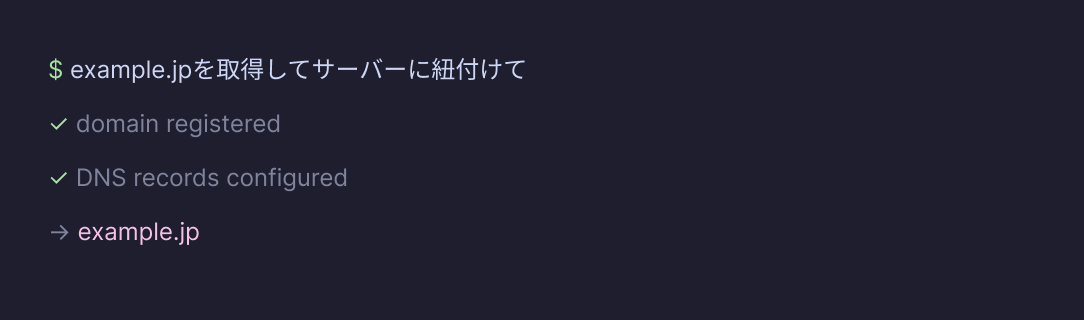
Register a custom domain and go live
Domain availability check, registration, DNS setup, and server linking — all in one go.
Go live with a custom domain without ever opening the control panel.
* This flow includes registering a new domain. If you connect by selecting Value Domain One from the Claude connector directory (available once it is listed), register the domain from the control panel first, then let your AI handle DNS setup and server linking.
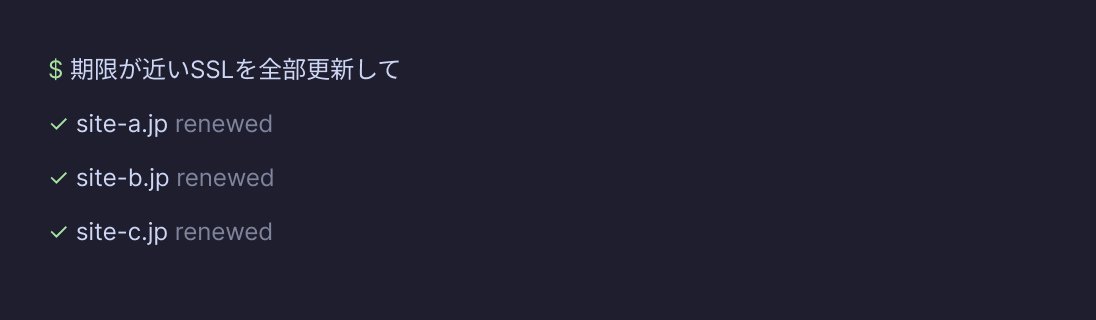
Renew SSL for all sites at once
Check SSL expiry across all your sites and batch-renew them automatically.
Let your AI handle Let's Encrypt re-issuance.
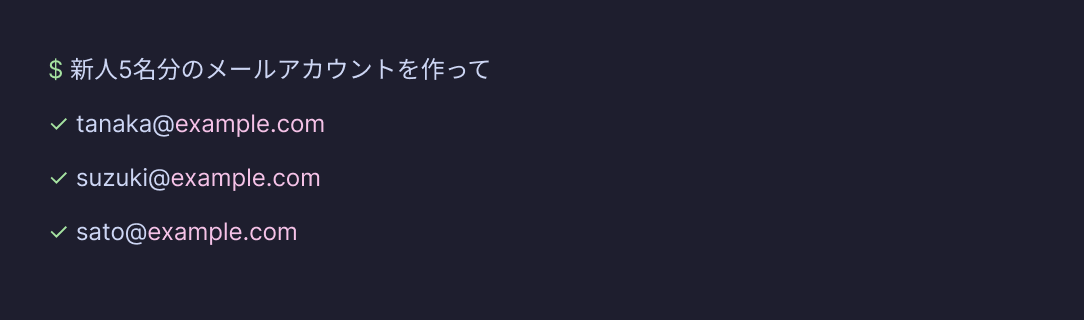
Batch-create emails for new hires
Create email accounts for 5 new hires — including forwarding and auto-reply settings — all at once. HR prep done without ever opening the control panel.
HOW IT WORKS
From Setup to Publishing
From account setup to your first operation — as little as 5 minutes
Connect your AI agent once, and everything after that is just conversation
※ Steps and commands current as of September 2026
Set Up Your Value Domain One Account
Set up your Value Domain One account. If you already have an account, you can use it as-is. The One rental server offers a 15-day free trial.
* If identity verification on your account is incomplete, you are redirected to the verification page instead of the authorization screen. In that case, complete email verification (and SMS verification, depending on your account status) and try again.
Connect Your AI Agent
There are two ways to connect. Choose the one that matches the AI agent you use.
In claude.ai, open Settings > Connectors > Add connector > Add custom connector, then enter a connector name and the server URL below.
https://mcp.value-domain.com/mcp
Add the MCP server URL to your client configuration. The example below uses Claude Code.
* Either method above gives you the full set of features. Once Value Domain One is listed in the Claude connector directory you can also connect by selecting it from the directory, but a few operations are then out of scope. See the note under "Supported AI Agents" for details.
Authorize via OAuth
When you initiate a connection, your browser will redirect to Value Domain. Log in and click "Authorize" on the consent screen to complete the connection — this also enables MCP integration for your account. There is no need to enable it in the control panel beforehand.
Authentication is handled entirely by Value Domain — only the authorized permissions are passed to the AI agent.
You can disable the integration at any time from "Connected Apps" in the control panel.
Just Talk to Your AI
From there, just tell your AI agent what you want to do. Domain registration, DNS changes, server operations, site publishing, SSL, email setup — your AI handles each step and reports back.
COMPATIBLE AGENTS
Supported AI Agents
Any agent compatible with MCP (Model Context Protocol) can be used
※ Supported agents current as of September 2026

Claude Code
claude.ai (browser)

Cursor

Cline

Other MCP-compatible AI
claude.ai (browser) also gives you the full set of features when you add the server by entering its URL (https://mcp.value-domain.com/mcp). The following are out of scope only when Value Domain One is listed in the Claude connector directory and you connect by selecting it there: new domain registrations, domain renewals (extending expiry dates), domain transfers, new server contracts, server renewals, plan changes, cancellations, and operations such as listing or revoking API tokens. Those are handled from the control panel.
FAQ
Frequently Asked Questions
A summary of frequently asked questions about Value Domain One MCP from our customers
Q
What operations are supported?
Nearly all domain and server operations are available through AI, including domain registration, DNS configuration, SSL certificate issuance, email setup, server operations, and AI site generation.
The following are out of scope only when Value Domain One is listed in the Claude connector directory and you connect by selecting it there: new domain registrations, domain renewals (extending expiry dates), domain transfers, new server contracts, server renewals, plan changes, cancellations, and operations such as listing or revoking API tokens. Connecting by entering the server URL (https://mcp.value-domain.com/mcp) gives you everything, on any AI agent.
Q
Which AI agents can I use?
claude.ai (browser) / Claude Code / Claude Desktop / Cursor / Cline and other MCP-compatible AI agents are supported.
From claude.ai you add it under Settings > Connectors as a custom connector by entering the server URL. Other clients also need the MCP server URL added to their configuration.
Q
How much does it cost?
· MCP server usage is free (AI token charges are billed to the customer).
· One rental server and domain fees are at standard pricing.
Q
Can I use my existing Value Domain One account?
Yes, you can use your existing account as-is. No new registration required.
Q
What domain will my published site use?
Publishing currently supports a subdomain (xxxx.oners.jp). Site generation with a custom domain is planned for a future update.
Q
How does authentication and security work?
Authentication uses OAuth 2.1 + PKCE, and access tokens are managed securely. Important operations go through a confirmation prompt, so your AI cannot make purchases or deletions without your approval.
Q
Can I use this for commercial purposes?
Yes, commercial use is permitted within the scope of the Value Domain One terms of service.
This page was last updated: September 17, 2026
Just tell your AI
what you want to do
From domain registration to server management and site publishing — leave it all to your AI agent


